
CHUEM Desktop
Shut down
CHUEM Desktop.
End the session and power down the system correctly before leaving the device.
Guide
Shutdown
Previous
Strength Assessment
Finish the
current session.
Before shutting down CHUEM Desktop, finish the current activity and return to the main menu.
Finish activity → Main Menu
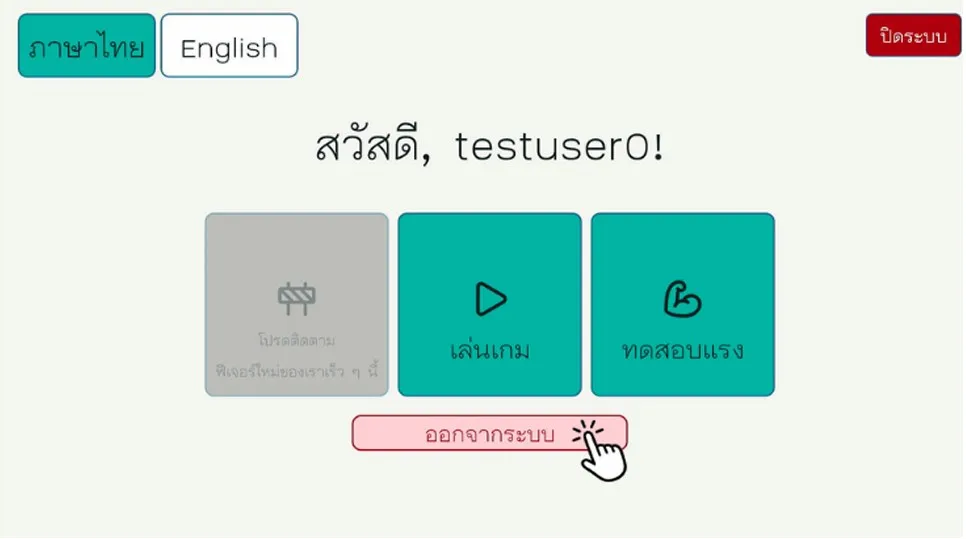
Shut down from
the interface.
Use the shutdown control on the screen to begin the system shutdown process.
Wait for the system to complete its shutdown before turning off the main power.
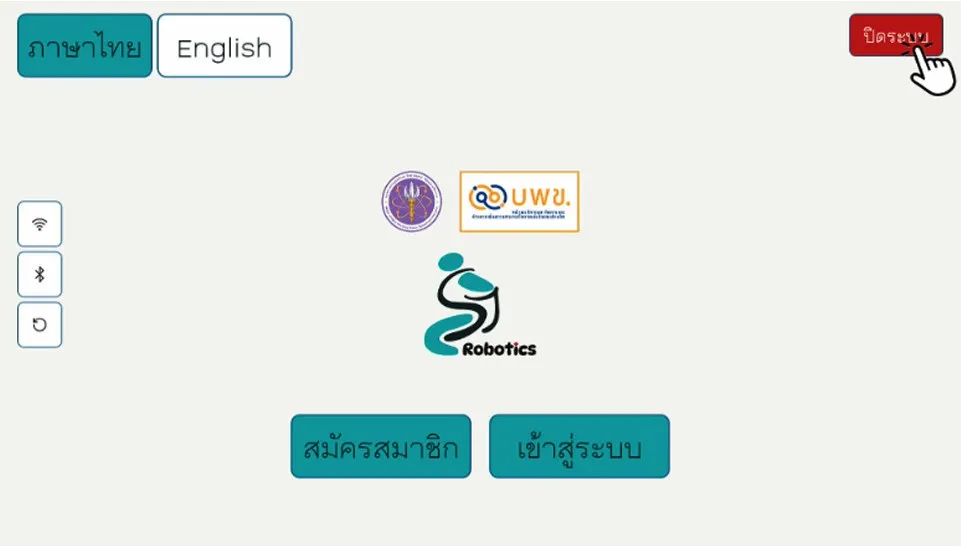
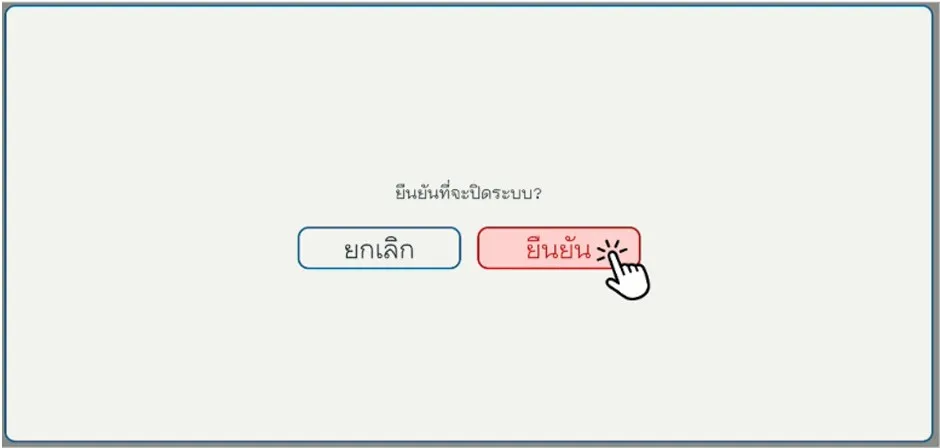
Do not switch off the main power yet.
Allow the system to finish shutting down first.
Turn off
the main power.
Once the system has completely shut down, switch off the main power at the rear of the control unit.
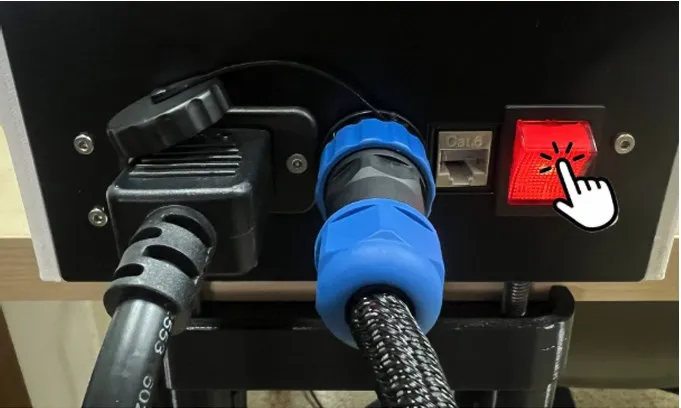 Power off
The system is now safely powered down.