
CHUEM Desktop
Set up your
CHUEM Desktop.
Secure the system, connect the required equipment, and make sure everything is ready before turning it on.
Guide
Setup
Before
Power on
Before you start
Place CHUEM Desktop on a stable therapy table with enough room for the system and its movement area.
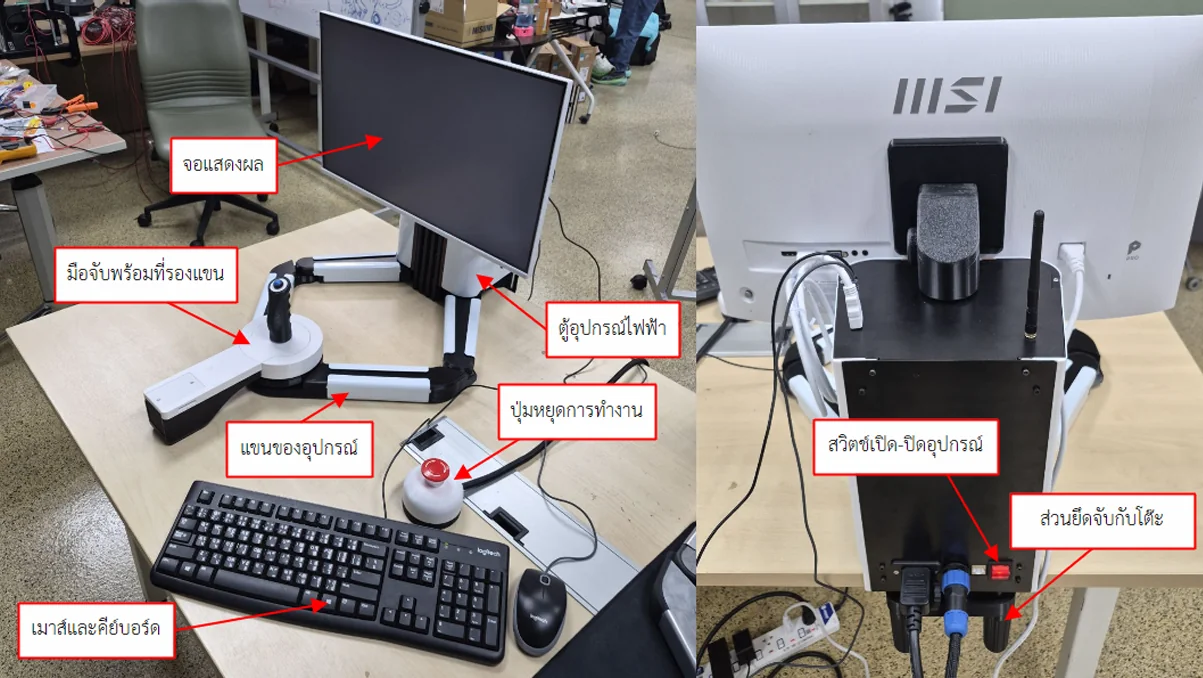
CHUEM Desktop system overview
Robot · Display · Control unit · Emergency stop · Mouse & keyboard
Secure the system
to the table.
Position the system at the edge of the table and tighten the rear clamps until the unit is firmly secured.
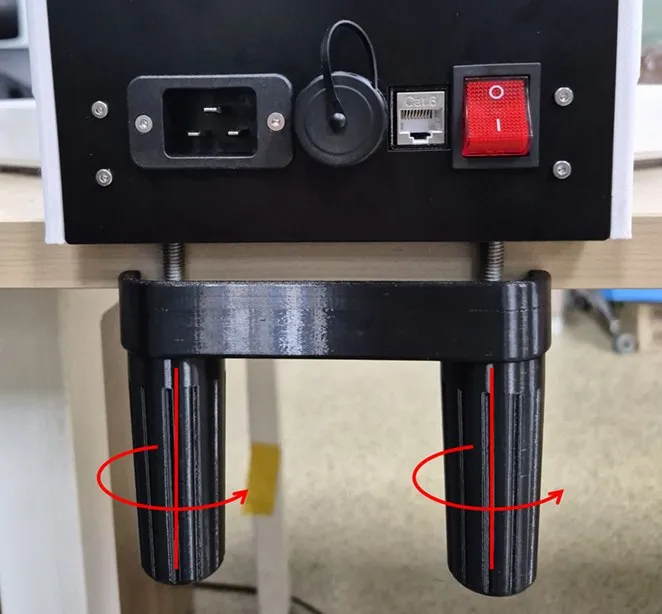
Check that the system does not shift or move when moderate force is applied before continuing.
Check every
connection.
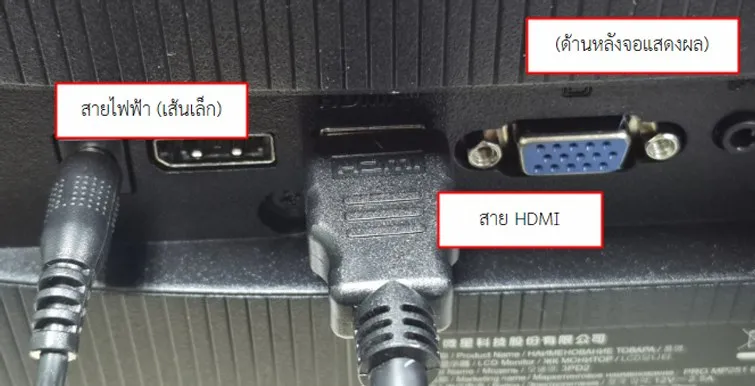
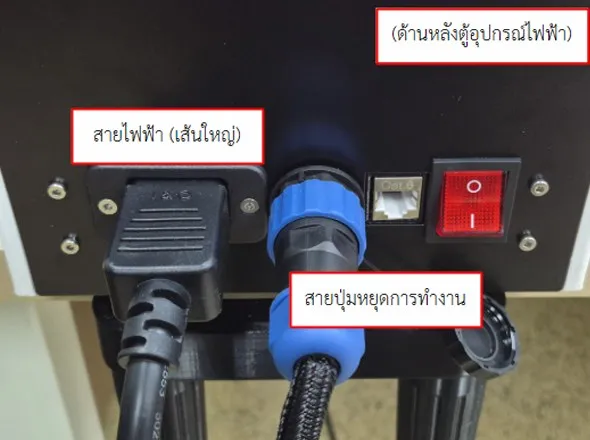
Before powering on the system, confirm that all required cables and peripherals are connected correctly.
Display
Control unit
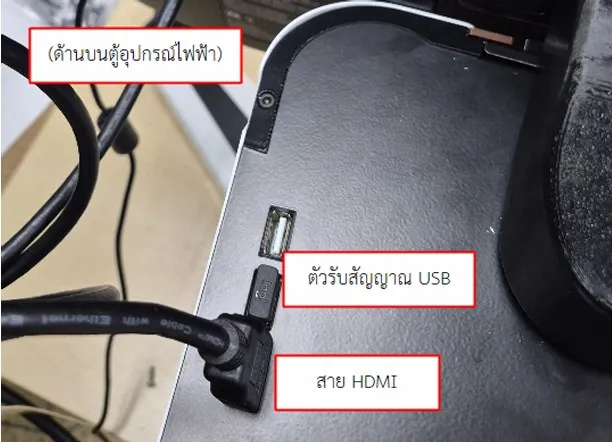
HDMI cable
Display
Power outlet
Display power cable
Control unit
Power outlet
Main power cable
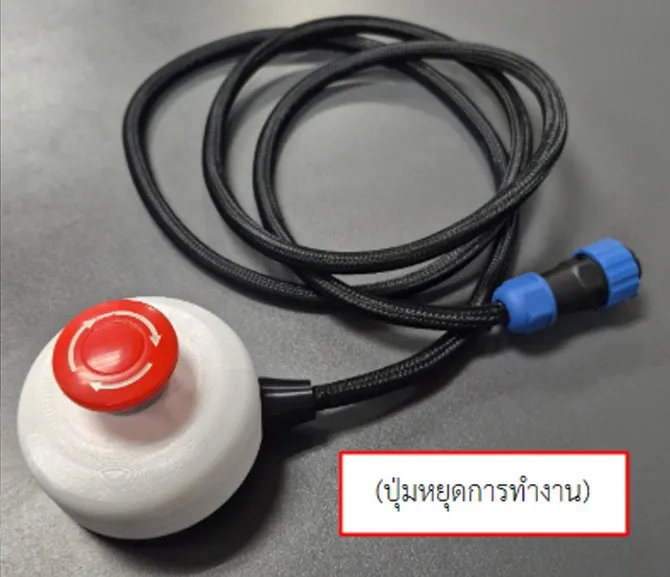
Emergency Stop
Control unit
Emergency-stop cable
Mouse & keyboard
Control unit
USB receiver
Setup complete
Ready to power on.
Once the system is securely mounted and all connections have been checked, continue to the startup guide.
Next guide
Turn on CHUEM Desktop